11 of 12
Every ask, in one logbook
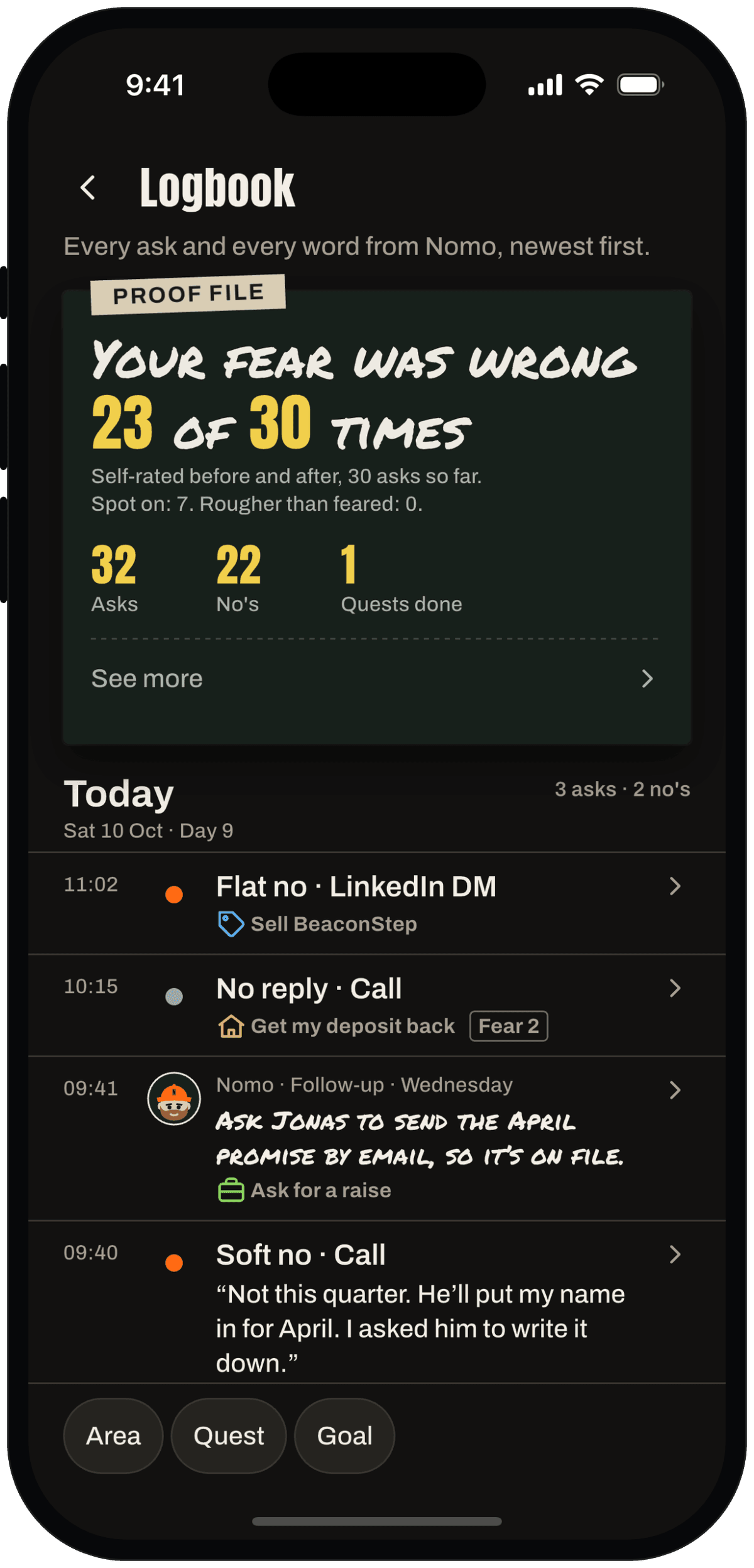
Every ask, note, quest done and badge, day by day. Two taps from Stats, right on your phone.
What it does
Three things.
Day by day
Stats → Logbook. Asks, notes, quests done, goals, badges and briefs, grouped by day. Empty days are simply skipped.
Filter it
Show one area, one quest or one goal. Handy before the next ask of the same kind.
Each ask, in full
No 23 of 100: what you asked, what they said, how scared you were, and what's up next.
Why it helps
Nerves forget. A logbook remembers how many times you already did the hard thing.
Scroll back a week and the next ask looks smaller.
Look at that list. You did all of it.
On your phone
See it in the app.
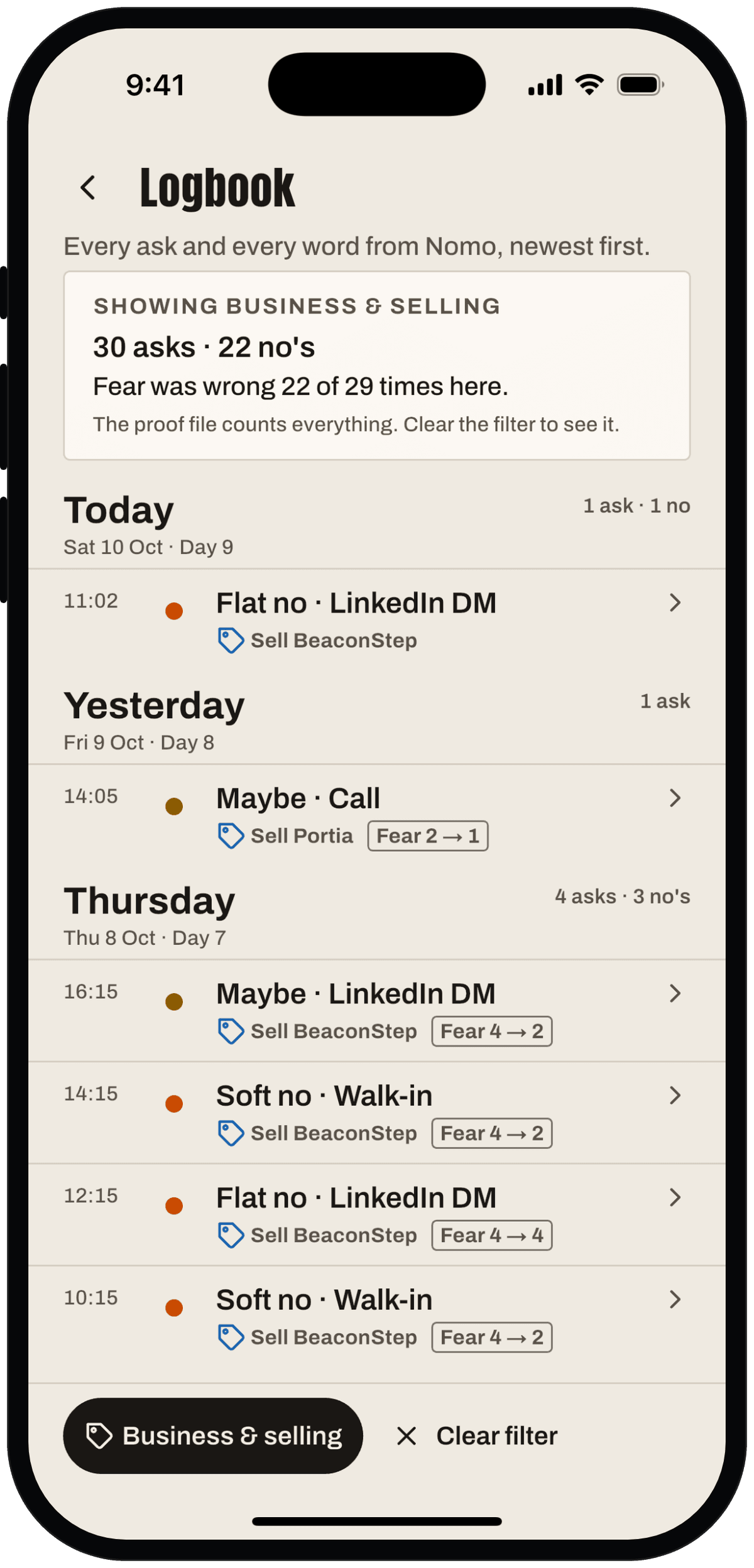
Filter by area, quest or goal. 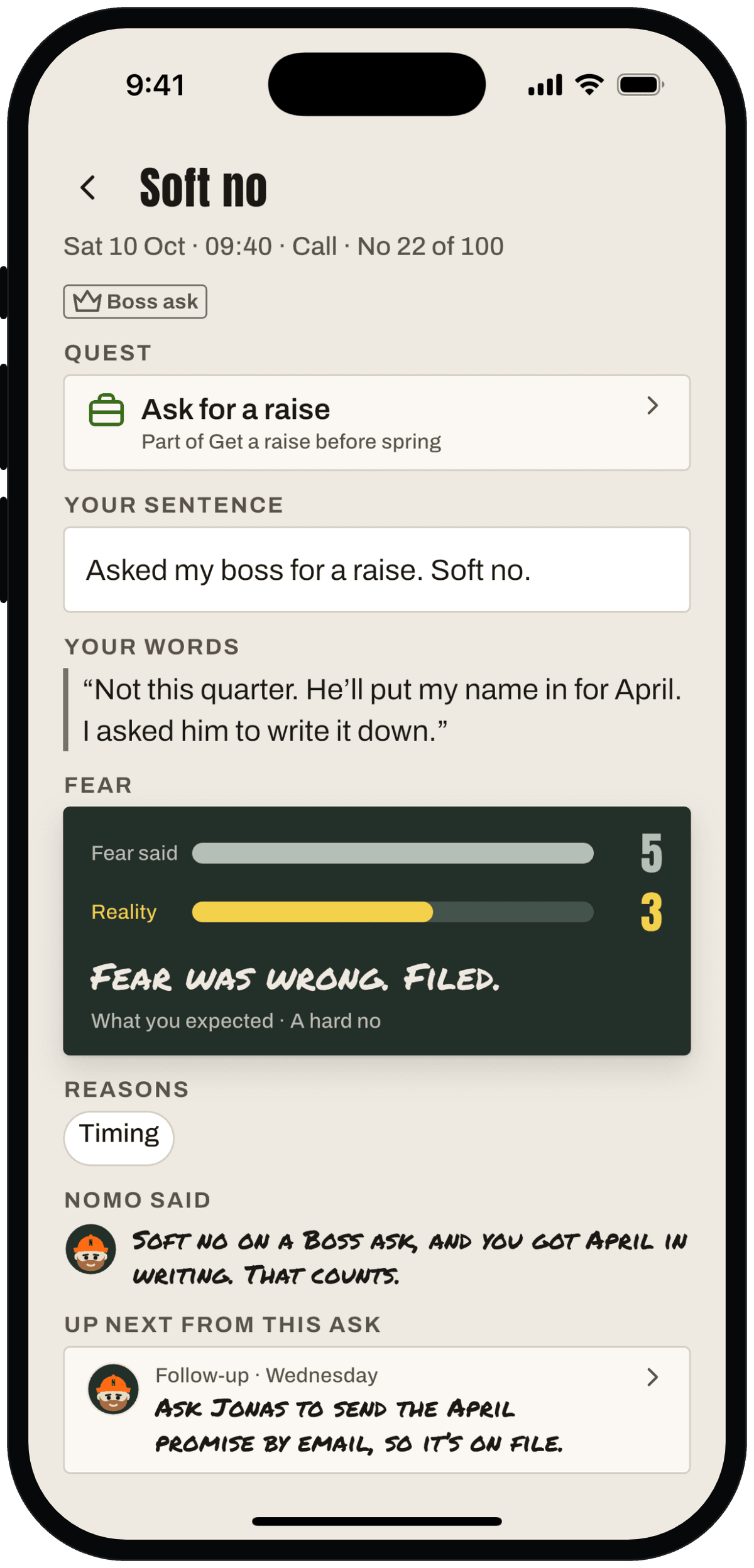
Every ask in full: No 23 of 100.
Swipe for more screens.
I'll be right here when you walk out.